Cryptoguru: Trading Simulator
- 4.6
- Rating
- 50.00M
- Installs
- Free
- Price

 Analysis by App-foxy
I approached Cryptoguru: Trading Simulator as a learning tool rather than a shortcut to making money, and that distinction matters. This free business app from Crypto Guru Trading Academy and Simulator is designed to let beginners and more experienced users practise crypto trading and investing without putting real funds at risk. In my experience, its biggest value is not excitement or prediction; it is giving you a place to slow down, test an idea, and notice how easily a confident decision can look different once you have to follow it.
The app has attracted a substantial audience, with an average rating of 4.5 from around 262 thousand ratings and more than 10 million installs. Those numbers make it easier to take seriously as a commonly used learning companion, but they do not turn simulation into reality. A practice result is still a practice result. I found the app most useful when I treated every virtual decision as a question to investigate, not as proof that I had discovered a reliable strategy.
What the simulator does well in everyday learning
The clearest strength is the low-pressure environment. A new user can explore the basic rhythm of a trade without immediately worrying about losing savings, choosing an exchange, or making a transfer. That makes it suitable for someone who has heard terms such as entry, exit, volatility, and risk but has not yet built a personal process around them.
You May Also Like

 Blood Strike: 2.5 Anniversary
Blood Strike’s Loadouts Turn Every Drop Into a Tactical Gamble
A close look at Blood Strike’s custom loadouts: how fast access to signature weapons reshapes its battle royale rhythm, rewards preparation, and narrows the gap between fights.

 Pandora - Music & Podcasts
Pandora’s Music Is Easy to Start, but Harder to Recover
Pandora’s strength is its low-effort path from a seed to a station. Its weak spot is how much confidence it asks you to place in connection, setup, and quiet recovery.

 8 Ball Pool
8 Ball Pool Is Built on Rivalries, Rematches, and Routine
A close look at the rivalries, rematches, shared routines, and unanswered safety questions that turn a quick pool match into a persistent mobile community.

 Samsung Music
Samsung Music’s Quiet Strength Is Playing What You Already Own
Its reach comes less from spectacle than from dependable access to a personal library. That simplicity is both the app’s strongest retention engine and its ceiling.

 AccuWeather: Weather Radar
AccuWeather Review: A Quick, Clear Forecast for Everyday Decisions
For everyday plans, the best forecast is the one you can understand quickly. AccuWeather makes rain timing, radar, and local conditions easy to act on, with a few trade-offs.

 Hill Climb Racing
Why Hill Climb Racing Still Turns Crashes Into One More Run
A tiny car, a bumpy hill and one more upgrade: Hill Climb Racing keeps resurfacing because its simple chaos makes every near-miss feel personal.
More From Our News Desk
View All News


I would begin with a simple routine: choose one market idea, write down why it seems attractive, make the simulated decision, and then return later to compare the result with the original reasoning. This is more valuable than rapidly opening position after position. The app becomes a mirror for habits. If I changed direction every time the market moved slightly, the simulator made that impatience visible. If I entered without a clear reason, the result gave me a useful prompt to examine the decision rather than blame the market.
That workflow is also helpful for users who already understand the vocabulary but lack consistency. A simulator can expose the difference between knowing a concept and applying it under pressure. Someone may understand that chasing a sudden move is risky, yet still do exactly that when a chart appears convincing. Practising with virtual funds creates room to identify that pattern before real money is involved.
Another strong point is accessibility. The app is free, carries an Everyone content rating, and supports devices running Android 8.0 or later. That makes it approachable for a wide range of learners, including people who do not want to commit to a paid course before deciding whether crypto education suits them. The current version is 1.4.19, so users should keep the app updated through their normal app store routine for the best experience.
The developer, Crypto Guru Trading Academy and Simulator, has positioned the product around both learning and practice. That combination is more useful than a purely passive glossary because it encourages an active loop: understand an idea, apply it in a simulated setting, review what happened, and adjust the next attempt. I prefer that approach to simply watching short explanations and assuming recognition equals skill.
A practical routine for a cautious beginner
Imagine someone commuting home after work and wanting to understand crypto without opening a live account. Instead of buying something impulsively, that person could use the simulator to create a small observation habit. Before making a virtual trade, they could note the reason, the expected time horizon, and the condition that would make the idea invalid. On the next visit, the important question would not be “Did I win?” but “Did I follow the plan?”
That distinction is one of the more useful lessons a simulator can offer. A profitable decision made for a poor reason may teach the wrong habit, while a losing decision that followed a sensible process may still be educational. Cryptoguru works best when the user supplies that discipline. The app can provide a safe practice setting, but it cannot decide whether a person is being honest about their assumptions.
I also recommend using separate notes outside the app if you want to study progress carefully. Record the idea in plain language, then compare it with the result later. This prevents a common mistake: remembering only the successful attempts and quietly forgetting the impulsive ones. The simulator is more powerful when paired with a simple journal because the journal captures the thinking that a result alone cannot explain.
Why simulation is safer, but not identical to trading
The absence of real financial loss is a major advantage for learning, but it can also make decisions feel easier than they would in a real account. When there is no rent, emergency fund, or personal goal attached to the outcome, it is natural to take risks that would be uncomfortable in reality. I found it important to treat virtual capital as limited even if the app makes experimentation convenient.
There is another difference that beginners often overlook: a simulated result does not automatically teach execution. In real crypto trading, users may have to deal with account security, transaction choices, platform rules, timing, and the emotional difficulty of seeing personal money move. A simulator can prepare your thinking, but it cannot reproduce every practical responsibility of handling actual assets.
For that reason, I would not use a successful run in Cryptoguru as a reason to deposit money elsewhere. I would use it as evidence that a particular question deserves more study. The app is a rehearsal space, not a financial adviser, exchange, or guarantee of future performance.
Where the experience needs a careful approach
The most meaningful limitation is built into the format: practice can reduce fear without fully recreating the emotional pressure of real ownership. A user who performs well with virtual decisions may still react differently when a genuine loss appears on screen. That does not make the simulator ineffective, but it means the results need to be interpreted modestly.
I also think the app is less suitable for people who want a complete, structured education path from absolute basics through advanced portfolio management. Its simulator-first identity is useful for learning by doing, yet users seeking detailed financial planning, tax guidance, custody education, or a comprehensive investing curriculum may be better served by combining it with reputable educational material and, where appropriate, professional advice.
Another trade-off is that practice can become entertainment. It is easy to focus on the speed of making decisions instead of the quality of the reasoning behind them. If you find yourself opening the app mainly to chase a quick virtual win, pause and change the task. Use it to test one rule, compare two approaches, or review a mistake. Without that structure, the simulator may encourage the same impulsive behaviour that a beginner is trying to avoid.
I would also be cautious about comparing simulated performance with screenshots or claims found elsewhere online. A result only has meaning when the assumptions are clear. What was the time period? What risk was accepted? Was the decision repeated or was it a lucky outcome? Cryptoguru can help you practise, but it cannot remove the need to question the story attached to a result.
How it compares with the usual alternatives
Compared with buying crypto immediately, the app is obviously the more responsible starting point for someone who is still learning the mechanics of a decision. It offers a way to explore the subject without turning confusion into a financial commitment. Compared with watching videos or reading guides, it adds a practical layer: you have to make a choice and live with the outcome inside the exercise.
Compared with a spreadsheet, Cryptoguru is likely to feel more approachable for a user who wants a ready-made practice environment rather than building formulas and tracking systems from scratch. A spreadsheet can be better for detailed personal analysis because you control every field, assumption, and calculation. The app is better for reducing setup friction and getting a learner to practise sooner.
Compared with a live exchange, the simulator is the safer place to learn decision-making, but it is not a replacement for understanding real account responsibilities. A live platform may offer actual execution and market access, while Cryptoguru offers a buffer between curiosity and financial exposure. I would choose the app first for learning, then consider other tools only after I understood the risks and had a written reason for moving forward.
Compared with a formal course, the app is more hands-on and less demanding to start, but it may not provide the same depth, sequence, or personal feedback that a carefully designed course can offer. The best choice depends on the gap you are trying to fill. If the gap is “I do not know how a trading decision feels in practice,” Cryptoguru is a sensible option. If the gap is “I need a complete financial plan,” it is not enough on its own.
Who will get the most from it
I would recommend the app to curious beginners who want to practise before risking money, students looking for an interactive way to think about market decisions, and existing users who want to test a rule without changing a real portfolio. It can also suit cautious people who feel overwhelmed by crypto terminology and need a gentler first step.
It is particularly useful for someone who can commit to reviewing decisions rather than merely collecting wins. The strongest users will ask themselves why an entry looked attractive, what could invalidate the idea, and whether the outcome changed their understanding. That reflective habit turns a simple simulator into a personal training tool.
I would be less likely to recommend it to someone looking for guaranteed signals, instant income, or a substitute for financial advice. It is also not the right first choice for a person who already needs advanced portfolio controls, detailed tax records, or direct asset custody. Those needs belong to different tools and require a higher level of care.
Parents and younger users should still treat the Everyone rating as a statement about general content suitability, not as a promise that crypto concepts are financially harmless. The subject itself can involve meaningful risk, so an adult beginner should discuss money management and avoid confusing a friendly interface with a safe investment opportunity.
Small habits that make the simulator more useful
My first tip is to create a rule before making a simulated decision. For example, decide what information you are testing and how long you will wait before judging the result. This prevents the common habit of changing the explanation after the fact. A clear rule turns each attempt into a small experiment.
My second tip is to review losing decisions more carefully than winning ones. A loss can reveal whether the problem was timing, an unrealistic assumption, excessive confidence, or simply normal uncertainty. A win may hide those weaknesses. If the app is used only to celebrate positive outcomes, its educational value drops sharply.
My third tip is to separate learning from prediction. Use one session to understand a concept and another to test whether you can apply it consistently. Trying to learn everything while chasing the next market move creates noisy results and makes it harder to identify what you actually understand.
Finally, set a stopping point. A short, focused session followed by notes is more useful than repeatedly making virtual decisions until the activity becomes automatic. The goal is not to maximise the number of trades; it is to improve the quality of the questions you ask before making one.
My verdict on Cryptoguru
After looking at the app as a learning companion rather than a money-making promise, I see a clear and worthwhile purpose. Cryptoguru: Trading Simulator lowers the barrier to practising crypto decisions, gives beginners a safer place to make mistakes, and can help experienced users examine whether their rules are actually consistent. Its free access and broad device support make it easy to try, while its large user base suggests that it has become a familiar option in this part of the business app category.
Its weakness is equally clear: simulation cannot reproduce every consequence, emotion, or practical responsibility of real trading. Users who forget that may leave with too much confidence. The app is strongest when combined with honest notes, modest expectations, and additional education about risk and personal finances.
My recommendation is simple: use it as a rehearsal room, not as a crystal ball. If you are new to crypto and want to practise forming and reviewing decisions before putting money at stake, this is a sensible app to explore. If you want advanced financial management, guaranteed predictions, or a complete replacement for professional guidance, choose a different kind of resource. For the right user, Cryptoguru turns curiosity into structured practice, and that is a much more valuable starting point than an impulsive first purchase.
FAQs for Cryptoguru: Trading Simulator
01What is Cryptoguru: Trading Simulator?
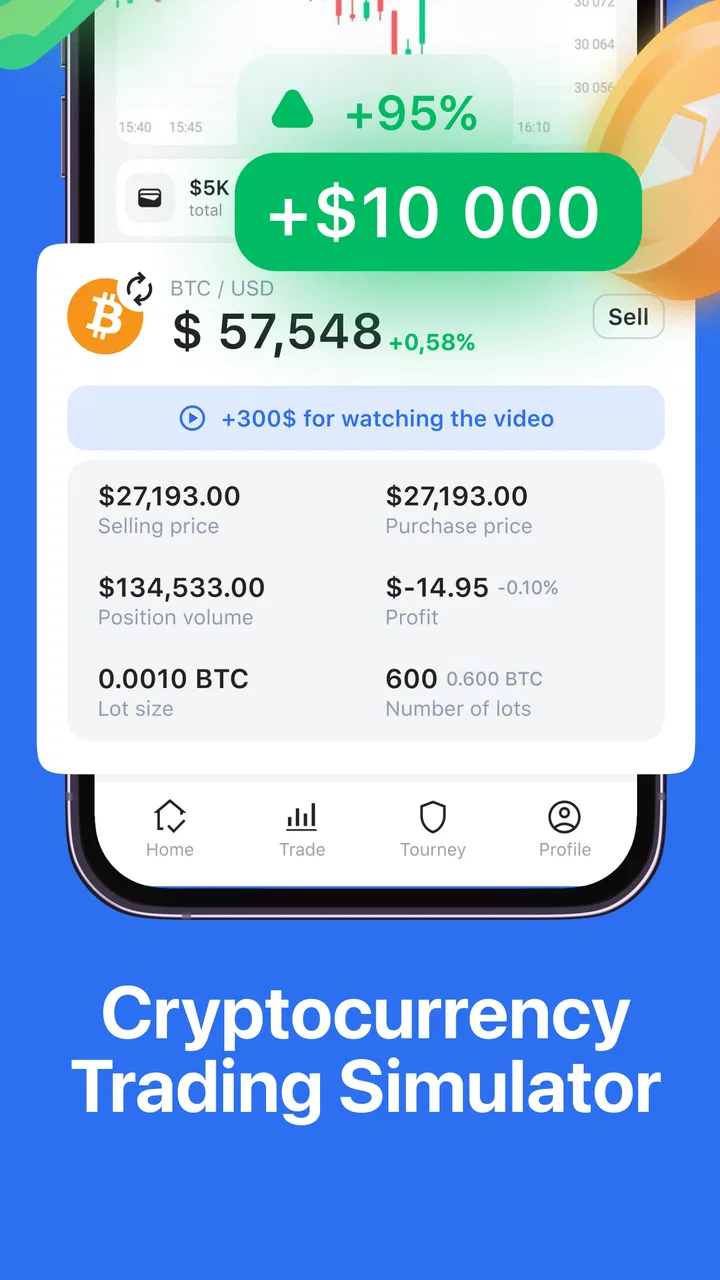
Cryptoguru: Trading Simulator is a mobile app designed to help users learn and practice cryptocurrency trading without any financial risk. It offers a realistic trading environment where users can experiment with different strategies and gain insights into market dynamics using virtual money.
02Is Cryptoguru suitable for beginners?
Yes, Cryptoguru is ideal for beginners. It provides a user-friendly interface and includes educational resources tailored for newcomers. The app guides users through the basics of trading, offering tutorials and tips to help them understand the market and develop effective trading strategies.
03Does Cryptoguru require an internet connection?
Yes, Cryptoguru requires an internet connection to simulate real-time market conditions and provide up-to-date information. This connectivity ensures users experience a realistic trading environment, reflecting the latest trends and data from the cryptocurrency market.
04Are there any in-app purchases in Cryptoguru?
While Cryptoguru is free to download, there are optional in-app purchases available. These might include premium features, advanced tutorials, or additional virtual currency for trading. However, the core functionalities are accessible without spending money, making it suitable for users who prefer not to make purchases.
05How does Cryptoguru ensure realism in trading simulation?
Cryptoguru uses real-time data and market trends to offer a realistic trading experience. The app simulates actual trading conditions, including price fluctuations and market volatility, allowing users to practice strategies under conditions similar to those they would face in real markets.
Pros
- Realistic trading simulation experience.
- User-friendly interface for beginners.
- Comprehensive tutorials available.
- Wide range of cryptocurrencies included.
- No real money risk involved.
Cons
- Limited to simulation
- no real trading.
- Graphics can be a bit outdated.
- In-app ads can be distracting.
- Requires internet connection to play.
- No social sharing features.

Cryptoguru: Trading Simulator
Gallery